Ring (formerly SFLphone) is an open-source free software for communication that allows its users to make audio or video calls, in pairs or groups, and to send messages, safely and freely, in confidence. Ring developed & maintained by Savoir-faire Linux and a community of contributors worldwide. It is available on GNU/Linux, Windows, Mac OSX and Android and Separate GNOME and KDE versions also available.
freedoms and privacy for users which respects, No personal information is stored on a central server. Audio, video and text are converted into a coded message that only the recipient can decrypt. Ring creates its own network over distribute directory functions. It positions itself as a potential free Skype replacement.
Ring Features
- SIP-compatible with OpenDHT support
- Unlimited calls, view call history, Call recording, call transfer & Call holding
- Instant messaging
- TLS and ZRTP support
- Multiple audio codecs & SIP accounts supported
- Desktop notification: voicemail number, incoming call, information messages
- Address book integration in GNOME and KDE
- Supports PulseAudio
1) Install Ring Soft phone on Ubuntu 16.04/14.04 & Mint 17.x/18
Ring has an official APT repository for Ubuntu 16.04/14.04 & Mint 17.x/18 distribution. So we can easily install Ring by adding below APT repository.
[Change Version Number to 16.04, 14.04 (Ubuntu Users) & Mint 17.1, 17.2, 17.3, 18.0]
$ sudo sh -c "echo 'deb https://dl.ring.cx/ring-nightly/ubuntu_[Version Number]/ ring main' > /etc/apt/sources.list.d/ring-nightly-man.list"
$ sudo apt-key adv --keyserver pgp.mit.edu --recv-keys A295D773307D25A33AE72F2F64CD5FA175348F84
$ sudo add-apt-repository universe
$ sudo apt-get update && sudo apt-get install ring-gnome
2) Install Ring Soft phone on Debian 8 & 9
Ring has an official APT repository for Debian 8 & 9 distribution. So we can easily install Ring by adding below APT repository.
[Change Version Number to 8,9]
$ sudo sh -c "echo 'deb https://dl.ring.cx/ring-nightly/debian_[Version Number]/ ring main' > /etc/apt/sources.list.d/ring-nightly-man.list"
$ sudo apt-key adv --keyserver pgp.mit.edu --recv-keys A295D773307D25A33AE72F2F64CD5FA175348F84
$ sudo apt-get update && sudo apt-get install ring-gnome
3) Install Ring Soft phone on Fedora 22, 23 & 24
Ring has an official APT repository for Fedora 22, 23 & 24 distribution. So we can easily install Ring by adding below yum repository.
[Change Version Number to 22,23,24]
$ sudo dnf config-manager --add-repo https://dl.ring.cx/fedora_[Version Number]/ring-nightly-man.repo
$ sudo dnf install ring-gnome
4) Launch Ring
After successful installation of Ring, Navigate to menu and open the Ring application.
5) Create a Ring account
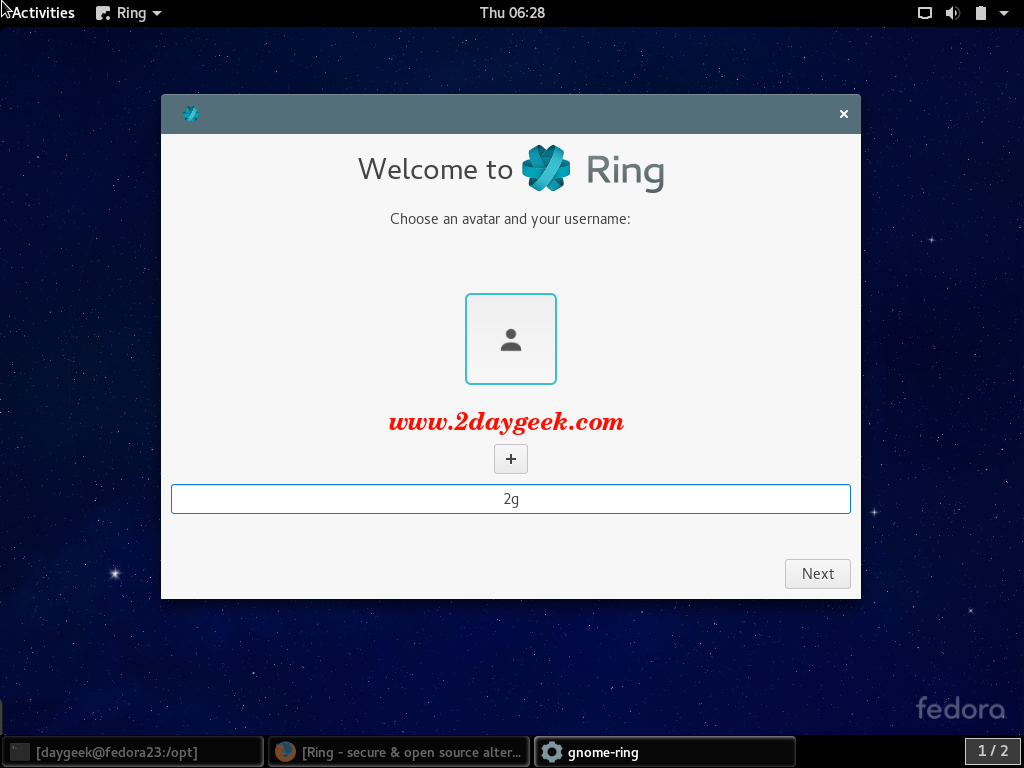
After launch, A welcome window will appear. Write in your name or alias. And click on Next.
6) Share your RingID
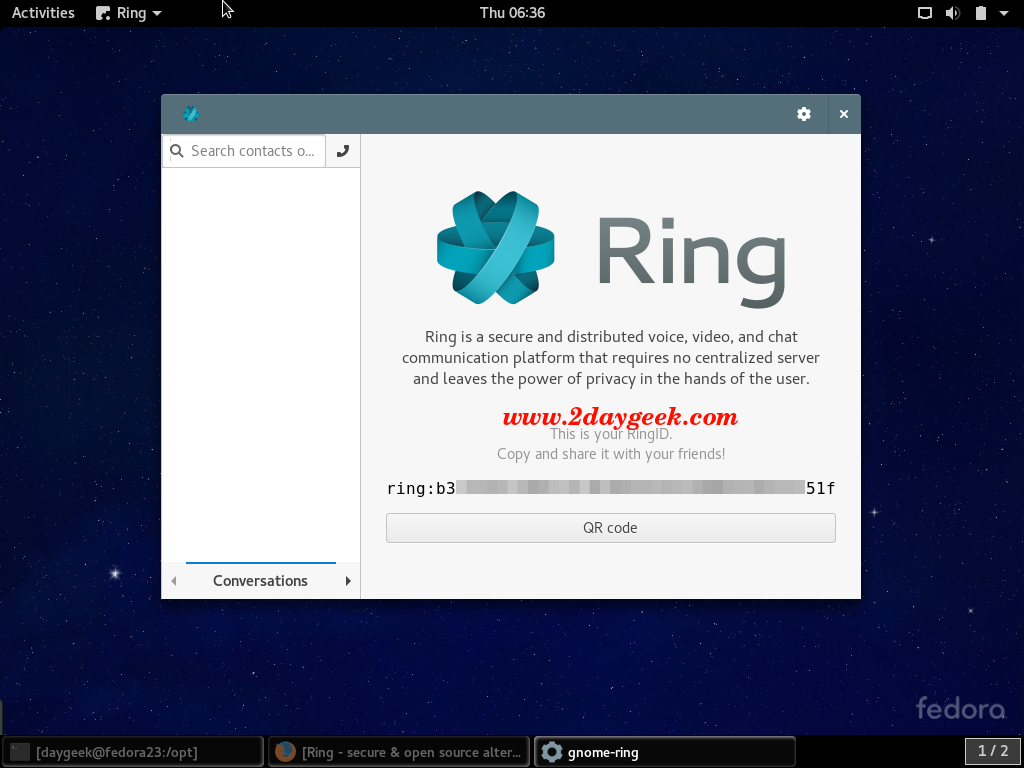
In the below window, You will find your Ring ID. It is composed of 40 characters. You need to Share it with your contacts & Ask them for their RingID. Finally click Done to access Ring’s interface.
7) Make a first call or accept a call
Just follow the below procedure to make a call or accept the call.
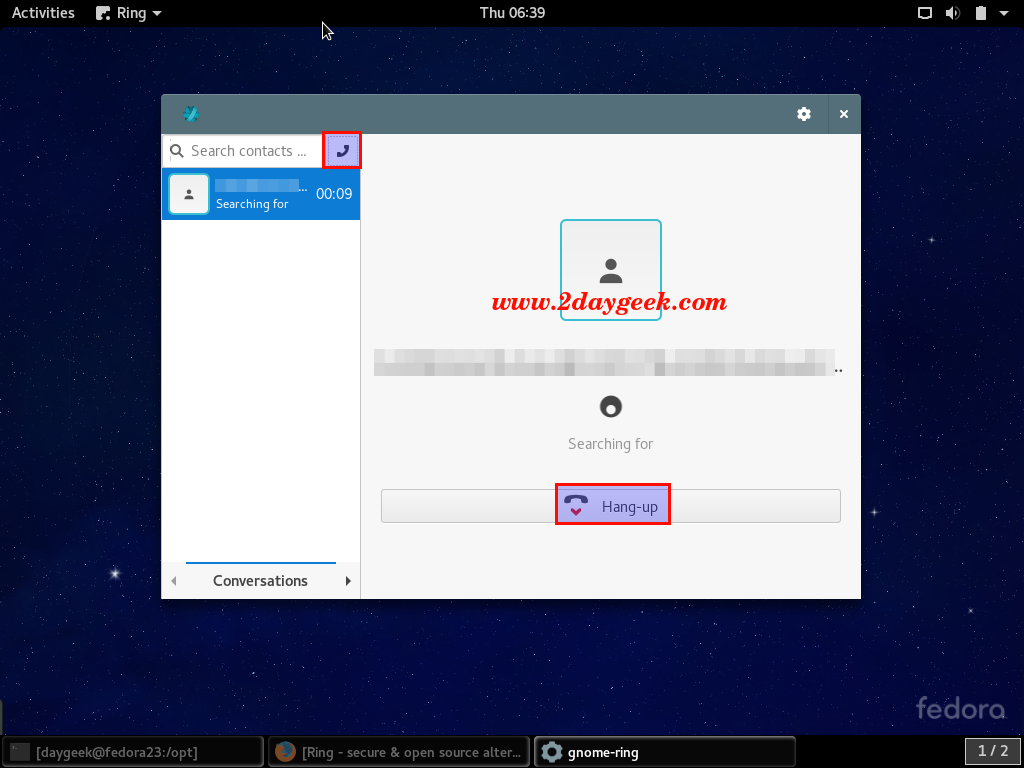
- To make a call, enter your contact’s Ring ID in the search bar, Then press the following button
téléphone-Ringor the Enter key on your keyboard. - To accept a call, just click on the
Call acceptbutton. You can deny it, by clicking on therejectbutton. - To end a call, just click on the cross button
8) Create a SIP Account
Ring is based on SFLPhone which support SIP client. However, in order to use SIP, first we need to create a SIP account and cannot use your Ring account to call a SIP account at the moment (and vice versa).
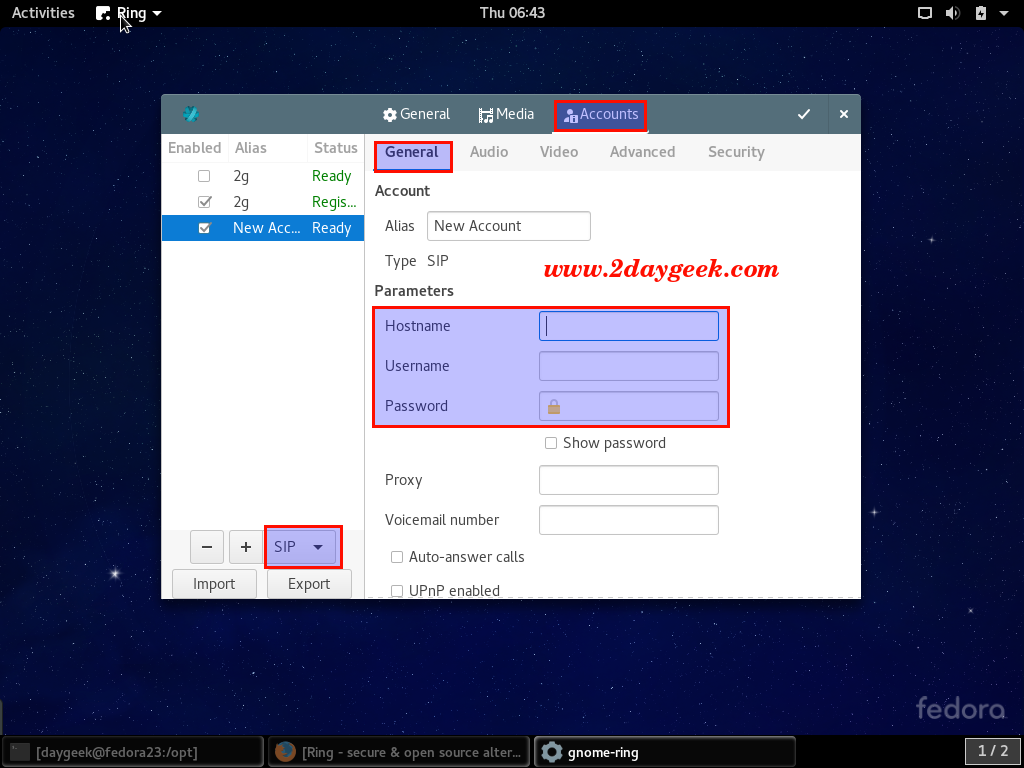
Click the Gear icon on the top right of your Ring interface >> then click on the Accounts tab >> Select SIP, click the + sign >> Under the General tab, enter the SIP account parameters (hostname, username and password).
Congratulations..! You have Successfully installed Ring and you have made your first call…Enjoy…!