Create and Mount Partitions
Check the HDD Size before proceeding disk partitions by running below command.
$ sudo fdisk -l
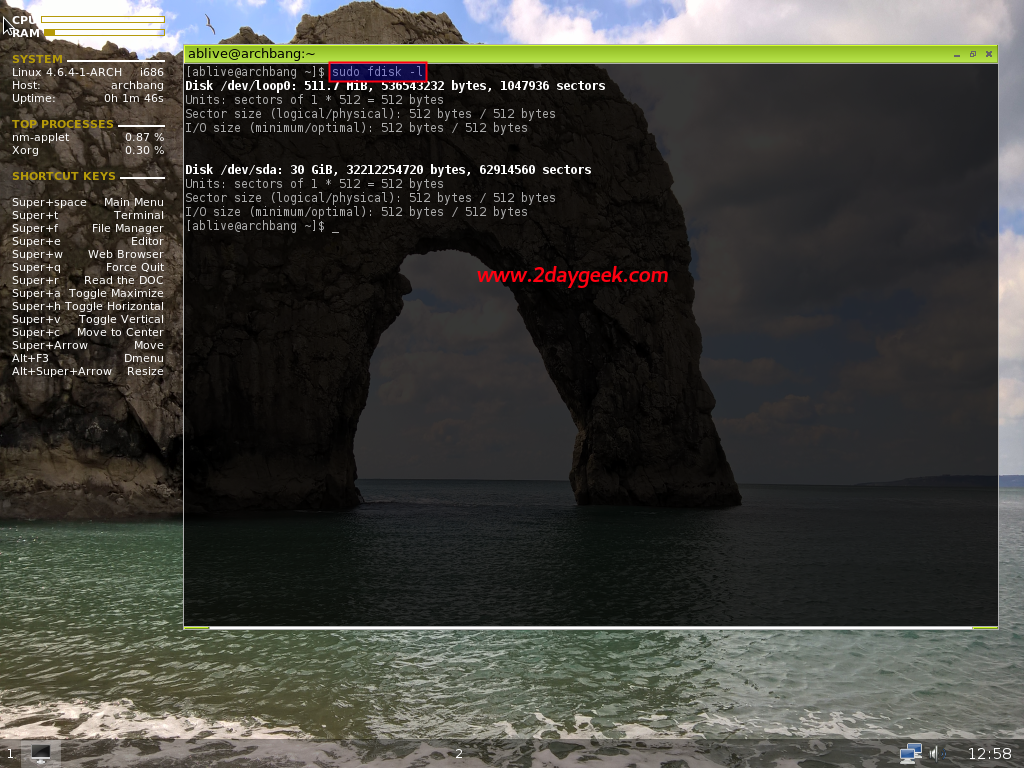
As you can see fdisk output, we are having 30 GB HDD. For Hard Disk partitions, we can use Fdisk or Cfdisk utilities, i’m going to use Cfdisk as per Arch Linux recommendation.
My Partition Plan is below.
Rootpartition/dev/sda1with size of 10GB as a primary bootable with ext4 formatted.Swappartition/dev/sda2as a primary with double size of RAM, probable 2GB.- Logical partition
Home,/dev/sda5rest of the space (18GB) with Extended and ext4 formatted.
Our Partition plan is ready and we are going to implement the same by firing Cfdisk command on terminal.
$ sudo cfdisk
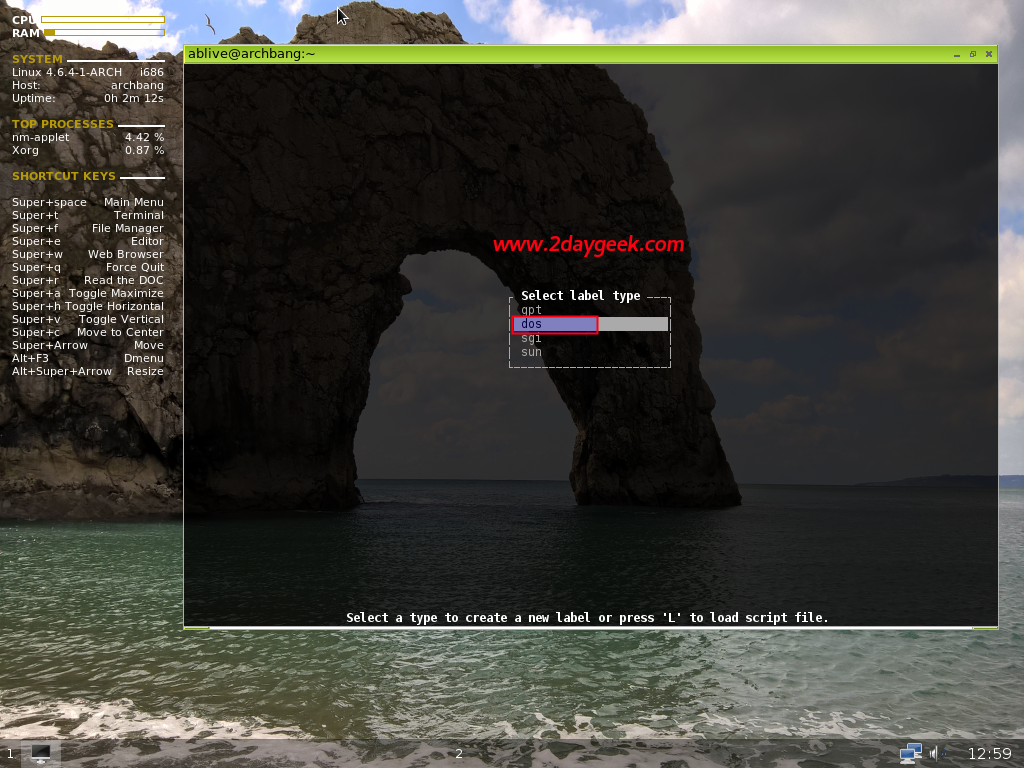
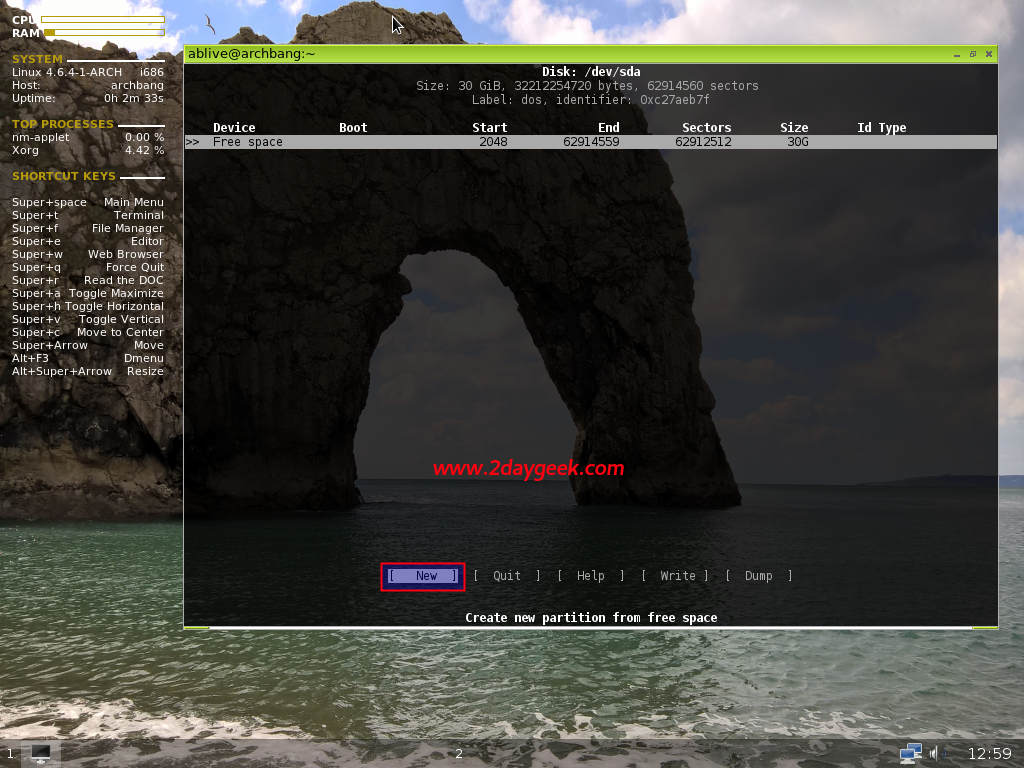
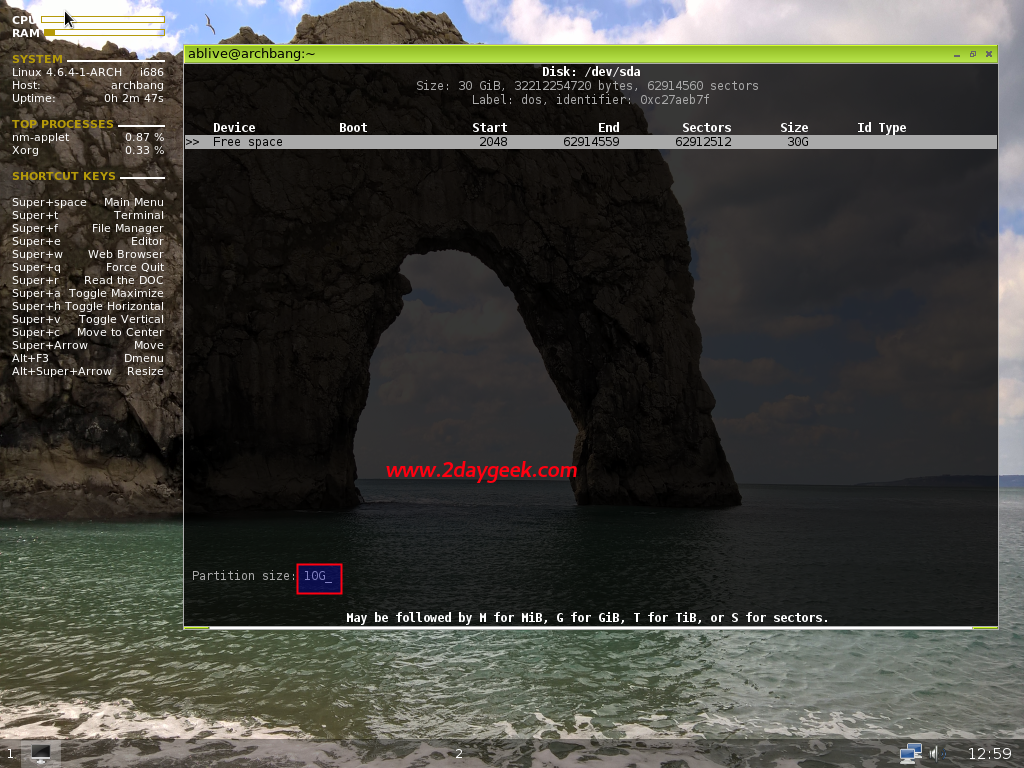
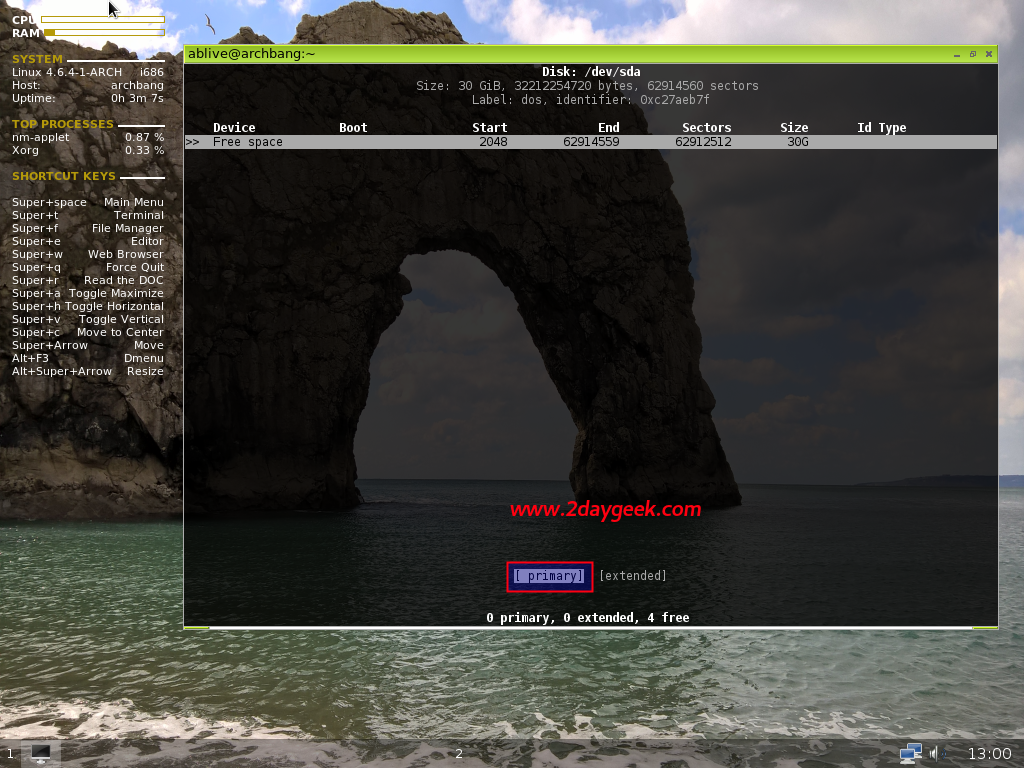
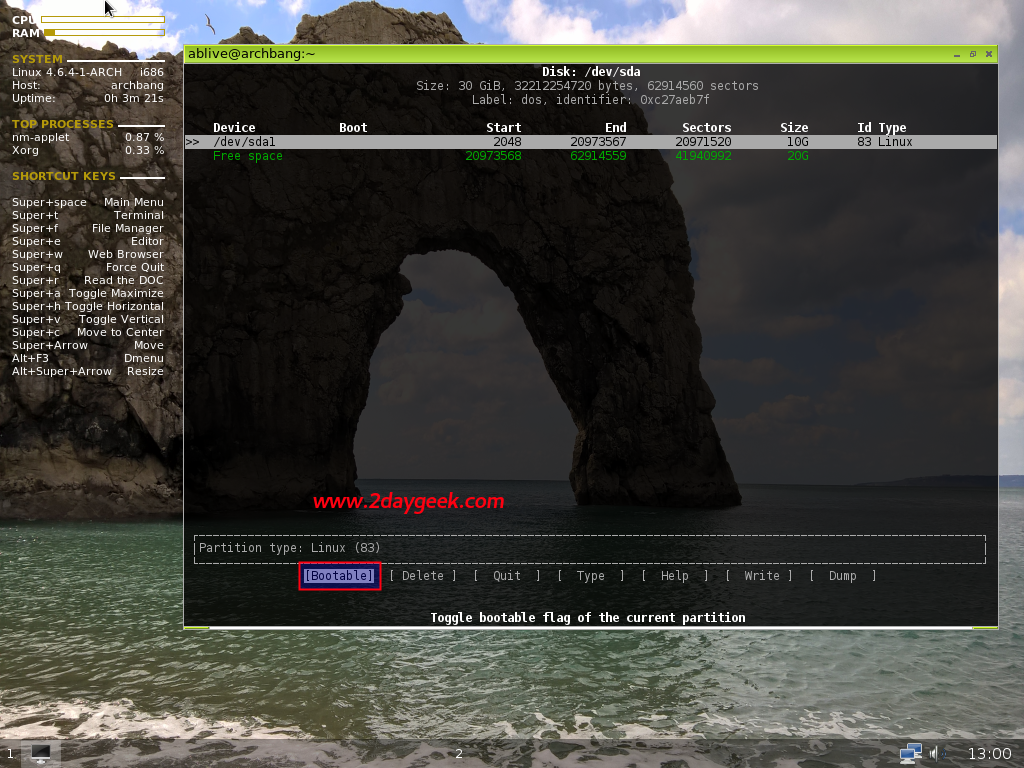
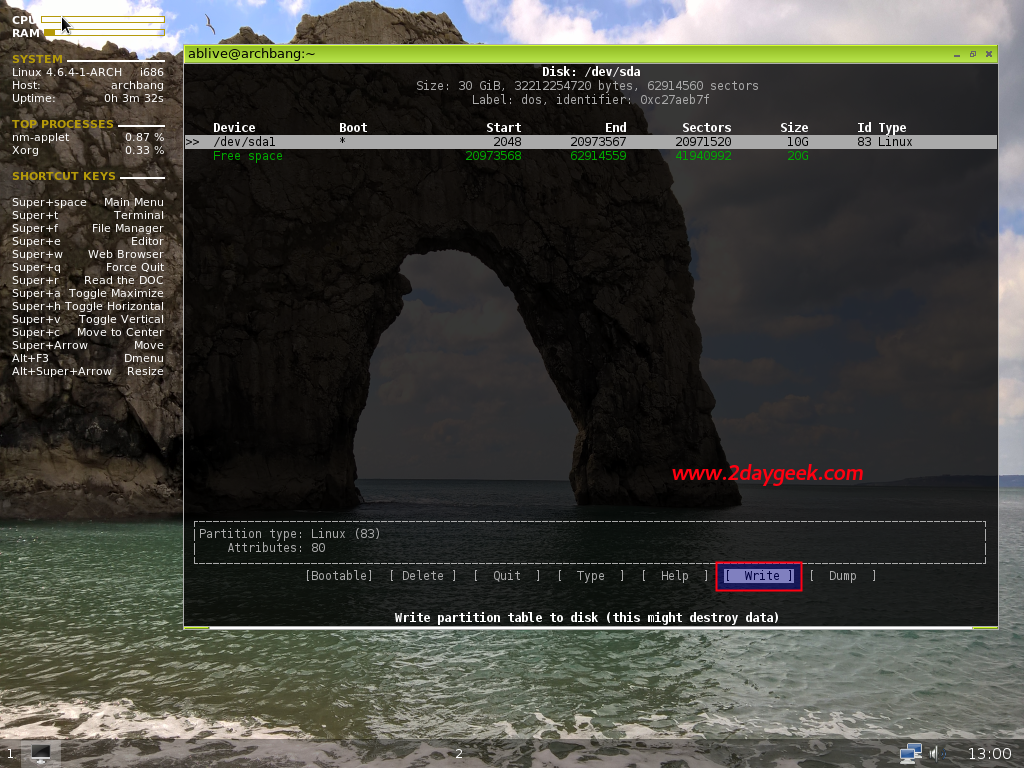
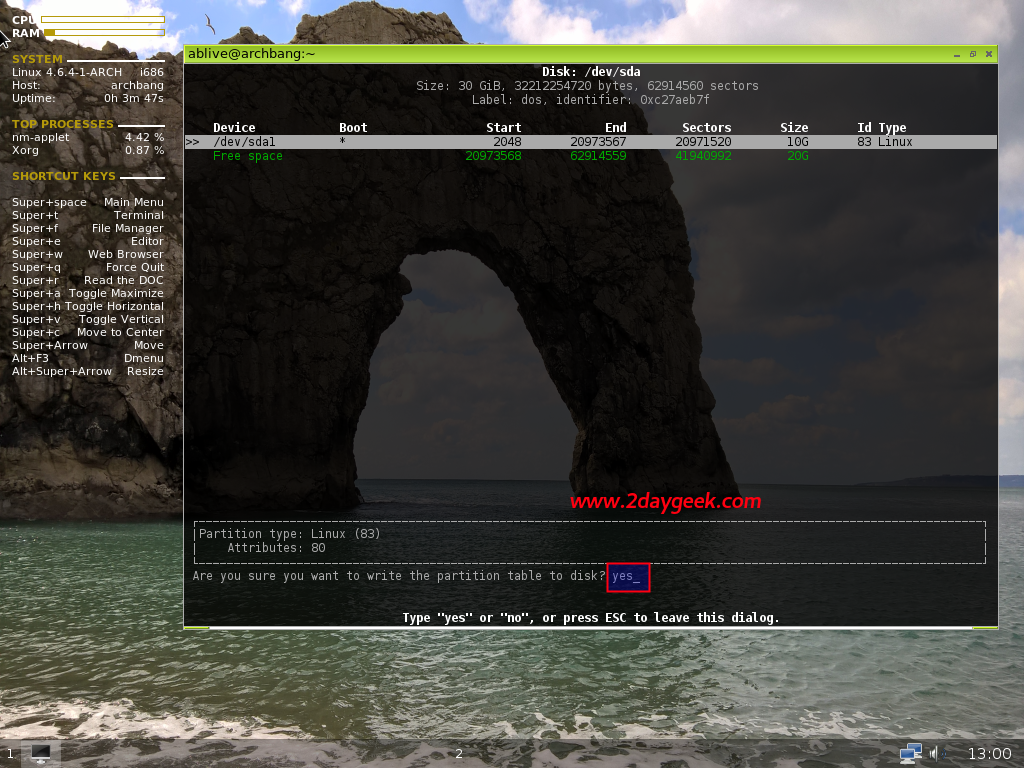
Select label type as dos >> Choose New partition >> Enter partition size 10G or 10240M >> choose the type of partition primary >> partition type Bootable >> Then, select Write to write the partition table >> Finally choose Yes to save the changes.
Do the same for other partitions too.